ContentMock - A Penpot Plugin
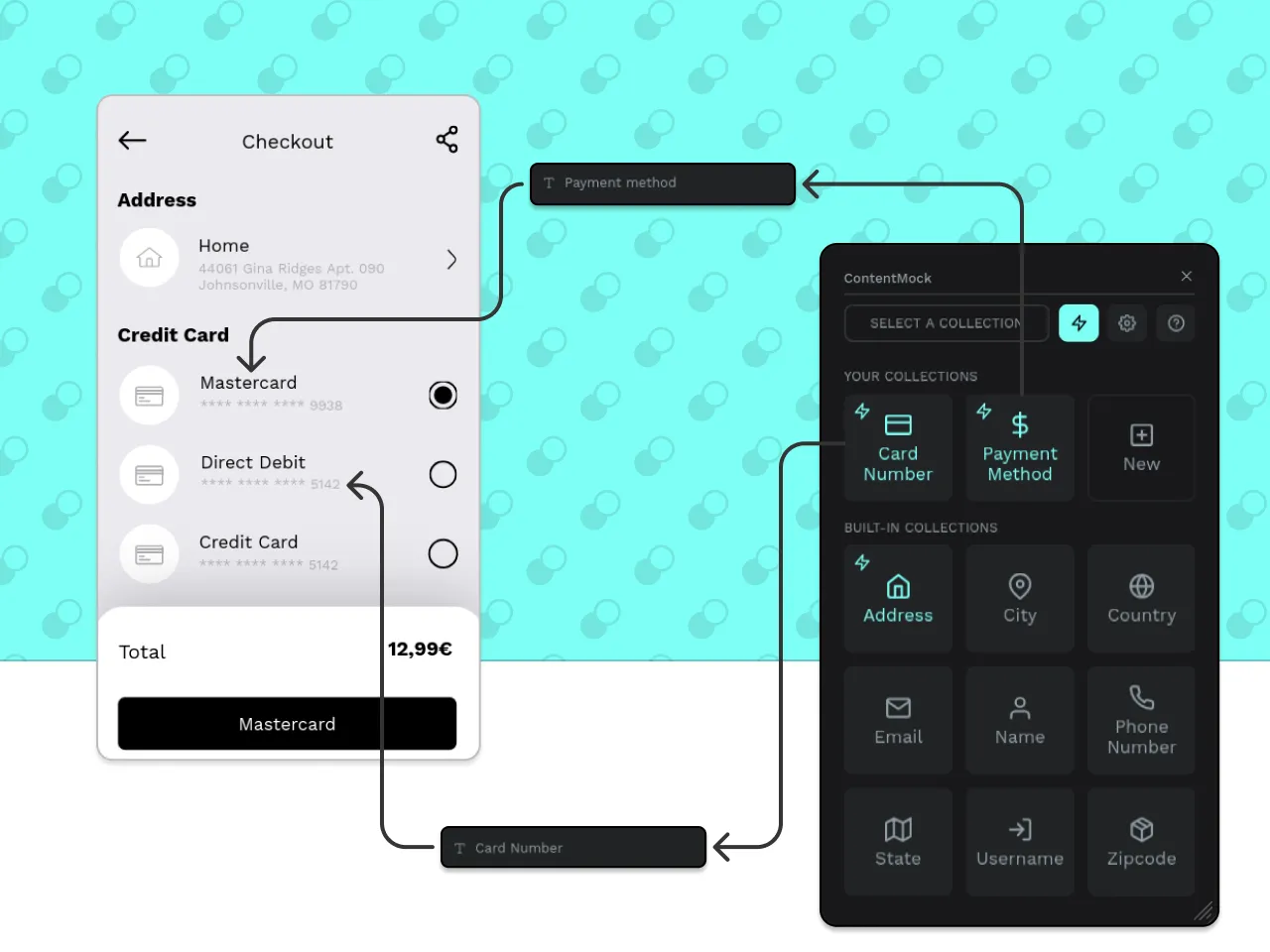
TL;DR: For the Penpot Plugins Contest 2024 I developed ContentMock, a Penpot plugin that replaces fake placeholders with realistic data so that design decisions are based on real constraints. It aims to reduce manual mock-data work, encourage semantic naming in design files and make testing edge cases (e.g. long/short values) fast. The plugin was awarded an Honorable Mention Award, including $200 prize money.
Before diving into the details, let’s see the smart replacement in action:
ContentMock replacing placeholder values based on semantic layer names.
Motivation
This project was motivated by my grudges against Lorem Ipsum. Treating copy and other textual values as just some text ignores that they are a core part of the design. Using placeholders that do not match real values in their structure and length can lead to frustration down the line, if your design suddenly stops working.
The goal of ContentMock is to make using realistic data so easy that you won’t be tempted to use generic placeholders. And as we’ll see, this also has some nice side benefits that make it easier for your team and AI agents to understand your design files.
The Idea
My initial idea for the plugin was to have several collections, each containing a set of values for a specific ‘concept’ (e.g. addresses, phone numbers, emails, …). You could then select elements in your penpot file and replace their content by simply clicking on the collection in my plugin. I threw together a quick prototype and tested it with a friend who works in design. It turns out that this works pretty great - as long as you don’t have too many elements that you’d want to replace regularly for testing.
So I had another idea: What if we could (semi-)automatically determine which elements contain placeholder values? This of course wouldn’t be too easy, as just looking at the contents of each text element would be fragile. Confusing placeholder values with UI copy or determining an incorrect collection type would be more annoying than helpful. But manually connecting fields to collections would also be tedious. In the end I tried to strike a balance by requiring some manual intervention, but with additional benefits as a reward.
This led to my final idea: inferring the collection by the text element’s name. Not only is it easier to quickly change the name of the element, it also stays when copied and, more importantly, entices you to name your elements semantically, making it easier for coworkers and AI alike to understand your file.
Turning ideas into code
As I wanted to get up and running quickly, I used Vue.js, my preferred JavaScript framework. Implementing the UI was straightforward - the interesting part was the communication with Penpot. In Penpot, plugins are hosted externally and (mostly) run in an isolated iframe, separate from the main app. The plugin UI and Penpot exchange data through messages: Penpot’s events (for example changes in selection) can be caught using window.addEventListener("message", ...), and the plugin sends messages back using the window.postMessage API.
In practice, everything that directly interacts with Penpot via API calls lives in plugin.ts. This file is provided with the global penpot object, which must be used to manipulate the design file. The UI script (living in main.ts) talks to that logic via parent.postMessage instead of calling Penpot directly.
A simplified setup for receiving events from Penpot looks like this:
penpot.on("selectionchange", () => {
	penpot.ui.sendMessage({
		type: "select",
		selection: penpot.selection,
	});
});window.addEventListener("message", (event) => {
if (event.data?.type === "select") {
// Do something with it in the UI ...
}
});And the other way around:
penpot.ui.onMessage((message) => {
	if (message.type === "replace") {
		console.log(message.value);
		// Use the global penpot object to update elements ...
	}
});parent.postMessage({ type: "replace", value: "some value" }, "*");As you can tell, this grows more cumbersome with each additional two-way communication type.
More coming soon.
ContentMock on GitHub